

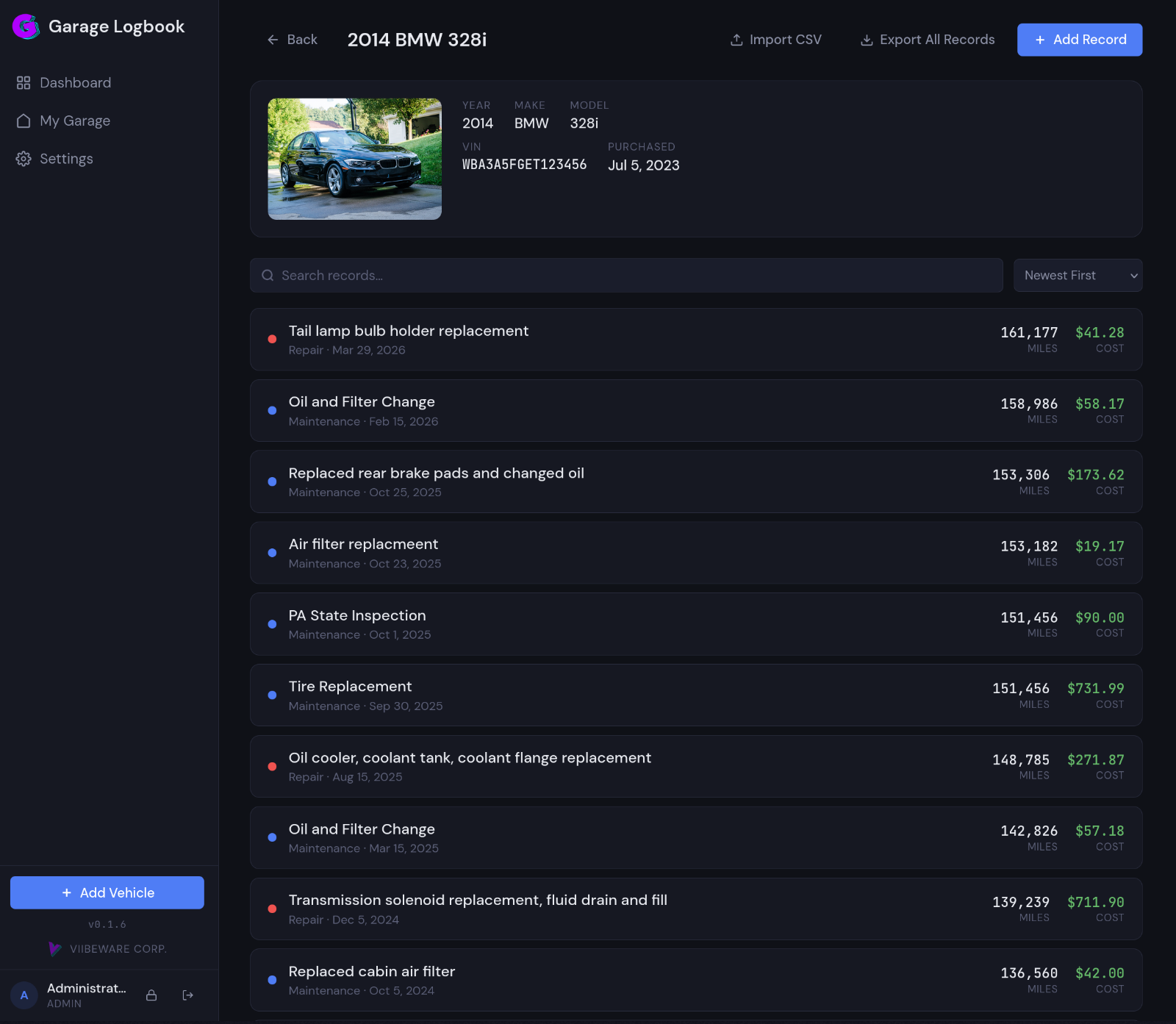
Garage Logbook is a self-hosted web app for keeping every vehicle's maintenance and service history in one place. Log what you did, what it cost, and when — attach receipts and photos, and keep a clean record for each car, bike, or truck in the household. Built with Flask and Docker, with multi-user support and role-based access.
Features
- Multi-user — isolated garages per user, with admin cross-user visibility
- Vehicle management — year, make, model, VIN, purchase date and photos
- Maintenance records — date, mileage, vendor, cost, notes and photo galleries
- PDF receipt upload and a lightbox image gallery per record
- Dashboard with vehicle/record/spend stats over configurable time ranges
- Live search & sort, plus duplicate record for repeat jobs
- CSV import/export with field mapping and a dry-run preview
- Role-based access — Admin and Editor, with granular per-user permissions
- First-login security, light/dark theme saved per user, and a mobile-responsive layout
Requirements
Docker and Docker Compose.
Install with Docker Compose
Download the compose file and env template, then set a secret key:
mkdir ~/garage-logbook && cd ~/garage-logbook
curl -O https://raw.githubusercontent.com/hyprlab/garage-logbook/main/docker-compose.yml
curl -O https://raw.githubusercontent.com/hyprlab/garage-logbook/main/.env.example
cp .env.example .env
python3 -c "import secrets; print(secrets.token_hex(32))"   # -> paste into .env as SECRET_KEY
The compose file:
services:
  garage-logbook:
    image: hyprlab/garage-logbook:latest
    container_name: garage-logbook
    restart: unless-stopped
    ports:
      - "${APP_PORT:-5000}:5000"
    volumes:
      - garage-data:/data
    env_file:
      - .env
    healthcheck:
      test: ["CMD", "python", "-c", "import urllib.request; urllib.request.urlopen('http://localhost:5000/login')"]
      interval: 30s
      timeout: 5s
      retries: 3
      start_period: 10s

volumes:
  garage-data:
    driver: local
Start it and open http://localhost:5000 (default login admin / admin — change it immediately):
docker compose up -d
You can also build from source (git clone the repo, then docker compose up -d --build) or run natively with Python 3.10+.
Configuration
| Variable | Required | Default | Purpose |
|---|---|---|---|
SECRET_KEY |
Yes | — | Flask session encryption key |
APP_PORT |
No | 5000 |
Host port the app listens on |
DATABASE_PATH |
No | /data/garage_logbook.db |
Database path inside the container |
UPLOAD_FOLDER |
No | /data/uploads |
Upload path inside the container |
Example .env
Copy this to .env next to your docker-compose.yml and adjust:
# Garage Logbook — Environment Configuration
# Copy this file to .env and update the values below.
#
#   cp .env.example .env
#

# ─── REQUIRED ──────────────────────────────────────────
# Session encryption key. Generate one with:
#   python3 -c "import secrets; print(secrets.token_hex(32))"
# or:
#   openssl rand -hex 32
SECRET_KEY=CHANGE-ME-replace-with-a-random-string

# ─── OPTIONAL ──────────────────────────────────────────
# Port the app is accessible on (default: 5000)
APP_PORT=5000

# Database path inside the container (typically no need to change)
DATABASE_PATH=/data/garage_logbook.db

# Upload folder inside the container (typically no need to change)
UPLOAD_FOLDER=/data/uploads
Updating & backups
docker compose pull && docker compose up -d
All data lives in the garage-data volume. To back it up:
docker compose stop
docker run --rm -v garage-logbook_garage-data:/data -v $(pwd):/backup \
  alpine tar czf /backup/garage-logbook-backup.tar.gz -C /data .
docker compose up -d
AI notice
Garage Logbook is built by a human maintainer working with generative AI as a development tool:
- Code — the large majority of the code in the repository was written with Anthropic's Claude (via Claude Code), working from the maintainer's direction. The maintainer decides what gets built, reviews the results, tests every release, and signs off on everything that ships.
- Text — documentation, release notes, and in-app copy are largely AI-drafted and human-edited.
- The app itself contains no AI. Garage Logbook has no AI features and makes no requests to AI services — AI was used to build it, not to run it.
Bug reports and pull requests are welcome from humans and their AI tools alike; everything merged gets the same human review.
Tech stack & license
Flask · SQLite · HTML/CSS/JS on Docker. Free and open source under the GNU AGPL-3.0. Full docs and releases on GitHub.


